Create Error Delivery Rules
Error delivery rules define the data sources (APM/RUM/Logs) from which the system collects errors and how to perform aggregation analysis.
Create
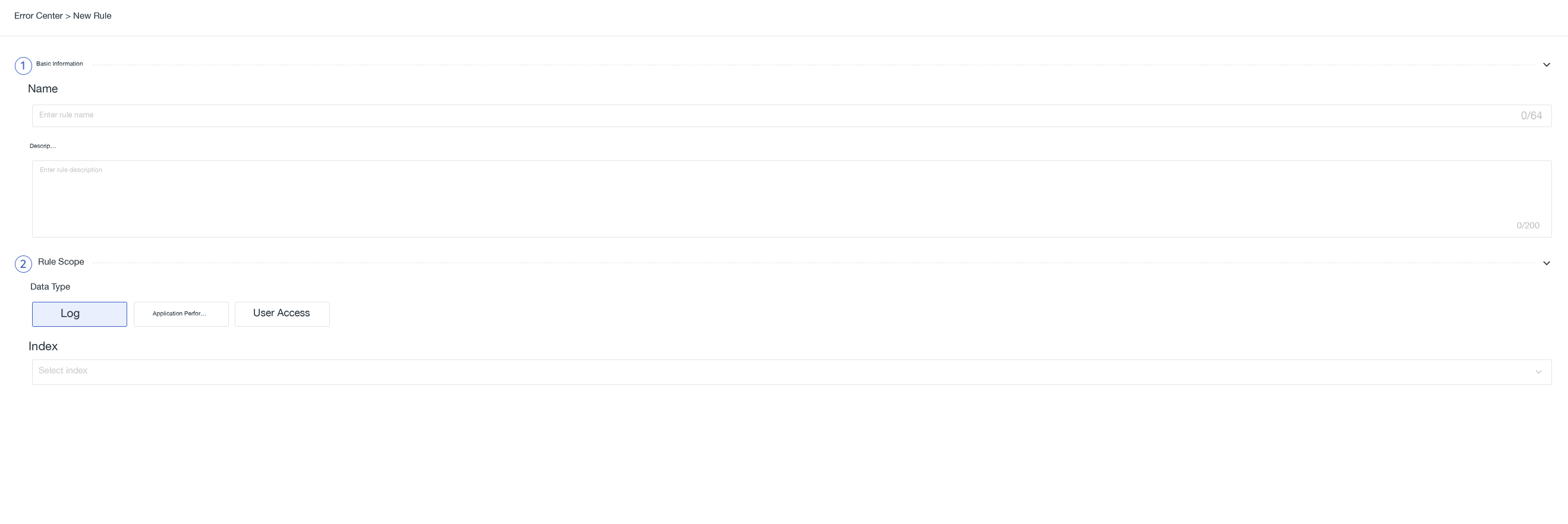
- In the upper right corner of the Error Center, click Create, then navigate to Manage > Error Center > Create.
- Define the rule name.
- Edit the rule description as needed.
- Select the data type to which the rule applies: Logs/APM/RUM.
- For the corresponding data type, select the index/service/application.
- Optionally set data filtering conditions to define the effective data scope for the current detection rule.
- Save.
Created error delivery rules are visible in the list at Manage > Error Center. You can manage them through the following operations:
- Filter by data type.
- Search directly by rule name to locate.
- Enable/Disable the rule.
- Edit, clone, or delete the rule.
Filter Conditions
-
Condition Relationship: Select the combination logic for multiple filter conditions.
- Meet all conditions: Data that meets all filter conditions simultaneously takes effect (AND logic).
- Meet any condition: Data that meets any filter condition takes effect (OR logic).
-
Filter Conditions: Configure field filtering rules.
- Field Name: Select the field to filter.
- Operator: Supports in/not in.
- Matching Value: Enter the matching value(s). Separate multiple values with commas.